How to Block Proxy?

Question: How to block proxy?

I am running a forum, I have a person who has activated app. 30 accounts, he wants to destroy our forum.
He is only using proxies, how can I block him, I know in which country he lives. I validate all new members by hand, is it possible that I check the IP using a list or program to scan if it might be a proxy?

All information is welcome, this guy is really dangerous!

Answer: There are three methods to block proxy. The first method is to check the HTTP headers. If there is HTTP_X_FORWARDED_FOR or HTTP_PROXY_CONNECTION in the headers, the visitor is using a proxy.

The second method is to make a proxy database. You can collect proxies and save them in your database. When a user visits your site, you try to find his IP from the database. If found, you can say he is using a proxy and ban his access.

The last method is to use a third-party script to block proxy access such as blockscript.com ($199/domain). It charges some fee to use their proxy blocking service.

Free Proxy Die Quickly

Public proxies die fast. It’s usually because too many people are using them. If you need stable proxies, you can buy private proxies which are only open to paid users.

Usually, a proxy won’t live for long. It’s because too many people are using it. When you use a proxy, you are using the resource on the proxy server such as its CPU, memory, and bandwidth which are all limited.

Public Proxy

Most working proxies on the Internet are public proxy which is open to everyone. Because of the lack of access control, the working proxy will die if the number of users exceeds the capability of the server. If a working proxy can be found easily on the Internet, it usually lives very shortly.

Working Proxy Die

Continue reading “Free Proxy Die Quickly”

Proxy Port and Proxy Type

It seems that the proxy port usually determines the proxy type. For example a proxy on the port 3128 is usually a HTTP proxy and a proxy with port 1080 is usually a Socks proxy. It’s because 3128/1080 is the default port of the proxy server software.

Default Proxy Port

Squid (a famous HTTP proxy server software) uses 3128 as its default port. So many proxies are on the port 3128. Many socks proxy server programs use 1080 as the default port. So many socks proxies are using the port 1080. However there are many proxy server programs using the different default port. For example, many proxy server programs use 8080 as the default port.

Common Proxy Port

There are the common proxy port which are used by most proxies.

HTTP Proxy: 80 443 808 3128 8080 8118
Socks Proxy: 1080 8080

There are some reasons why the proxy administrator choose those ports. The 80/443 port is the default for HTTP/HTTPS web server. Company won’t block those ports. 8080 is the HTTP alternate port which is commonly used for web proxy and caching server. 3128 is the default port of Squid. 8118 is the default port of Privoxy, an content-filtering HTTP proxy. I don’t know why so many proxies are on the port 808. Maybe it’s just because 808 is similar to 80 and 8080.

Possible Proxy Port

I checked our latest HTTP proxy list. There are 4476 proxies on the common port among the total 6523 proxies. The remaining 2047 proxies are on different ports. I compiled the ports that used by many proxies FYI.

Possible HTTP Port: 81 82 83 84 85 86 88 1337 3124 3127 3129 6515 6588 6666 6675 8000 8001 8008 8081 8082 8085 8088 8090 8123 8800 8888 8909 9000 9415 36081 54321 60099

I didn’t complied the possible ports of socks proxy. It’s because few of them use the same port except 1080 and 8080.

Judge Proxy Type

But you should know that proxy port absolutely depends on the settings of the proxy administrator. The admin can set a http proxy running on 1080 (default socks port) or set a socks proxy running on 3128 (default http port) easily.

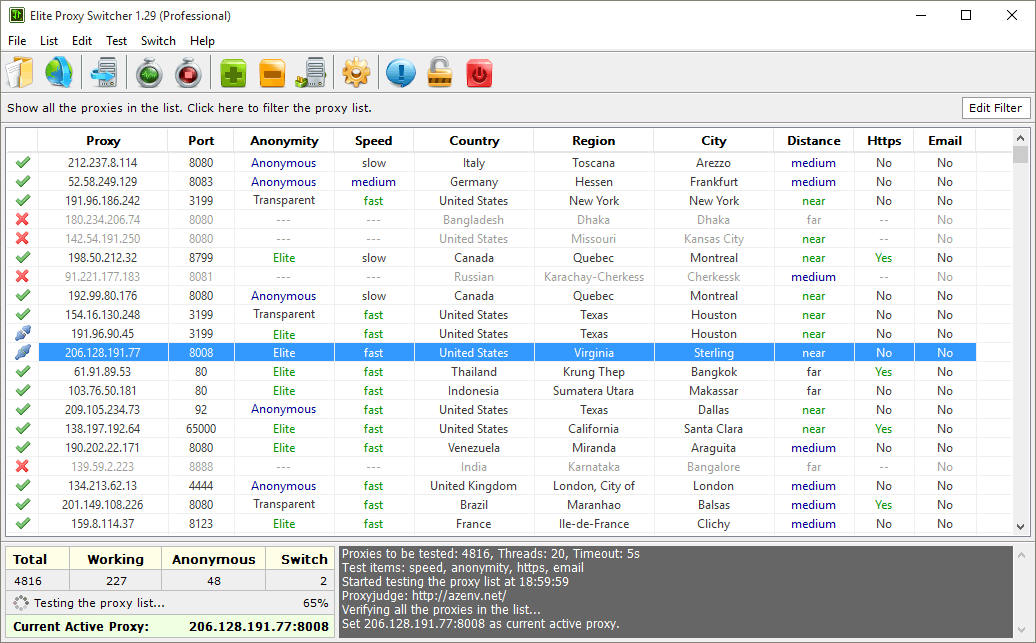
The best way to know the type of proxy is to test it. If a proxy is shown working in Elite Proxy Switcher, it’s a HTTP proxies. If a proxy is shown working in Socks Proxy Checker, it’s a socks proxy.

However it’s a fast way to judge the type of a proxy roughly by its port without testing it.
Google Proxy is Precious

Proxies that support searching on Google are called Google proxy. Many SEO (Search Engine Optimization) programs make large number of queries on Google to get information such as ranks and competitors. They should use a Google proxy to avoid being banned by Google.

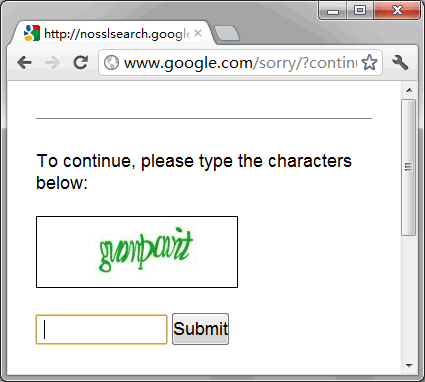
Google Verification Page

If your IP is suspect, Google may show a page to verify that you are a human instead of robot. Google allow using proxies as long as you can pass this human verification.

Google Proxy is banned

You can submit the characters in the picture to continue to use Google search. However your SEO program usually can’t do that as you. You can’t use that proxy to search Google in your SEO program. You have to find clean proxies so that Google won’t show that verification page.

How to Check Google Proxy

How to find those clean proxies? The professional edition of Elite Proxy Switcher 1.20 has the feature. It can check whether a proxy supports searching on Google. You can then export the Google proxies into a text file by ctrl+c and ctrl+v so that your SEO program can use them. If you manually use the proxy to search on Google, you need not to test this feature. It’s because you can easily pass the human verification.

Google Blocks Proxy

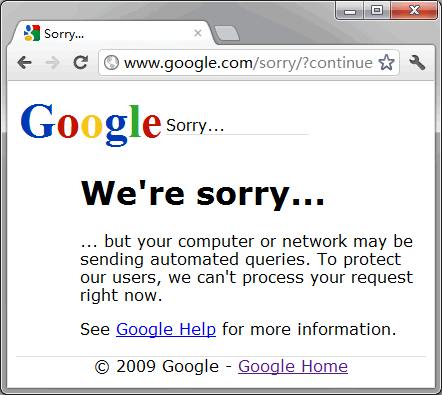
Some proxies may become Google proxy if someone passes that verification using it. This entitles the proxy to use Google for some time. After a while it needs verification again. It’s why the testing result of some proxy may change from time to time. However not every proxy can become Google proxy. Google blocks some proxies permanently because of the serious abuse. If you are using those proxies on Google, you will see this page.

Google Proxy is permanently banned

Google Proxy is Precious

We tested 2540 proxies. There are only 67 Google proxies among the 718 working proxies. Google proxy is really precious.

Elite Proxy Switcher 1.20 is Released

Elite Proxy Switcher 1.20 is released on July 11, 2012. It includes many improvements. We recommend all users updating to the latest version. It includes these changes.

  • Support testing whether a proxy supports Google searching
  • Improve the testing speed by 6.3%
  • Increase the number of working proxies by 7.5%
  • Use the new icons on toolbar
  • Do not check CoDeeN proxies any more because they vanished
  • Only check update at start up
  • Set focus to the IP input box in “Add Proxy” dialog
  • Don’t retry the list if “Test Speed” or “Test Anonymity” isn’t checked
  • Fix the bug that the professional edition cannot load list from free edition
  • Fix that the status of premium list is known is “Test Anonymity” isn’t checked
  • Fix that showing too many working proxies in the testing log sometimes

Elite Proxy Switcher

Elite Proxy Switcher Introduction

You can use Elite Proxy Switcher to protect your Internet privacy or access the blocked sites by hiding your real IP using a proxy.

Elite Proxy Switcher is a professional proxy checker and proxy switcher for your browsers. It can test the details (speed, anonymity, country, ssl, gateway, dangerous, google) of the proxy and automatically change the proxy settings of your browsers (IE, Firefox and Chrome).

Elite Proxy Switcher Features

  • Proxy Checker: professionally test the details of the proxies.
  • Proxy Switcher: quickly change the proxy settings of the browsers.
  • Proxy Downloader: get daily fresh proxy lists by just one click.
  • Proxy Manager: easily maintain your personal proxy list.

My IP Hide 1.02 is Released

We released My IP Hide on May 31, 2012. It includes many improvements. We recommend all users updating to the latest version. It includes these changes.

  • User can use the OK button to activate the service
  • Fix that there is no information for the new IP after first activation
  • Automatically signup a trial account if users didn’t register
  • Fix the wrong username and password by removing the space from them
  • Now the trial users can change their IP
  • Fix that it has no active proxy if the user doesn’t test the speed after activation
  • Check whether the license expires at start

My IP Hide

My IP Hide Introduction

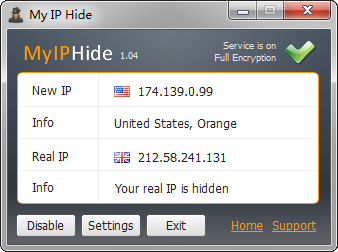
My IP Hide is the client-end software of our encrypted proxy service. It can help you to unblock websites and protect your Internet privacy privacy.

Unblock websites: In some companies or countries (ex. China, Egypt and Iran) the management blocks some websites (ex. facebook and youtube). My IP Hide can unblock the sites. It uses encrypted connections to bypass the firewall as well as content filtering system while ordinary proxy can only bypass IP/domain block.

Internet privacy: Websites know much information through your IP address. For example, from your IP we know your country. My IP Hide can hide your IP to protect your Internet privacy.